Location helps you pinpoint the place or equipment required to be repaired or maintained.
You can create a location in two ways:
- Option A: From Workspace Settings
- Option B: While creating a new Work Order
Option A: From Workspace Settings
Step 1. Go to Workspace Settings
Step 2. Tap Locations
Step 3. Tap +
Step 4. Enter the location details. The location name is required.
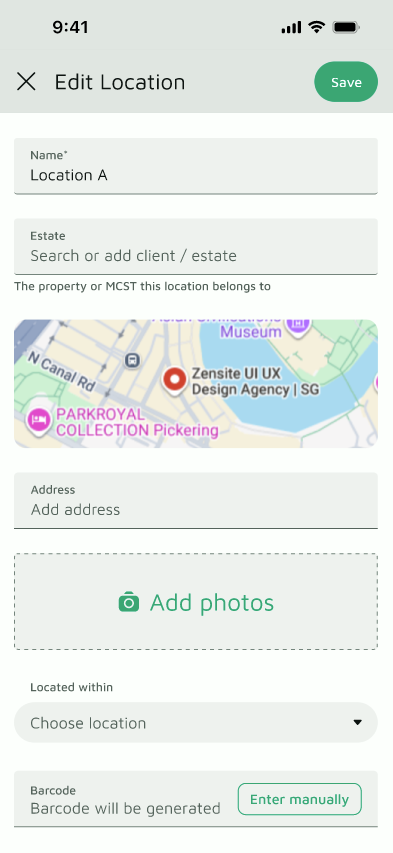
Step 5. Tap Create
Option B: From the New Work Order form
Use this when you’re logging a Work Order and can’t find the location you need.
Step 1. Open the New Work Order form
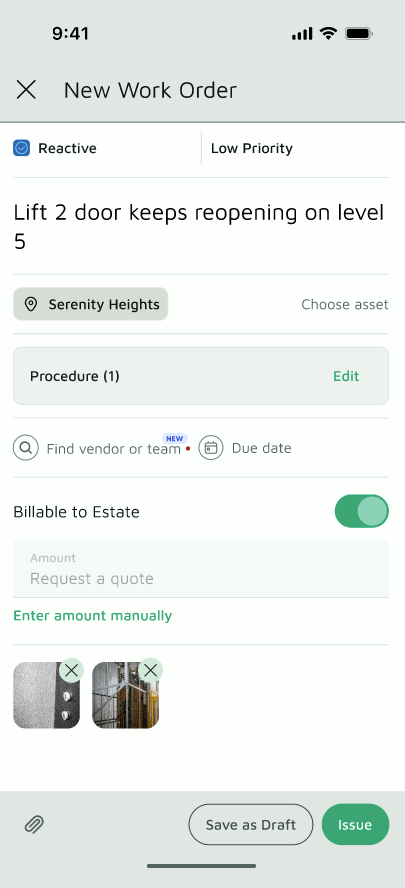
Step 2. Tap the Location chip
Step 3. Search for the location
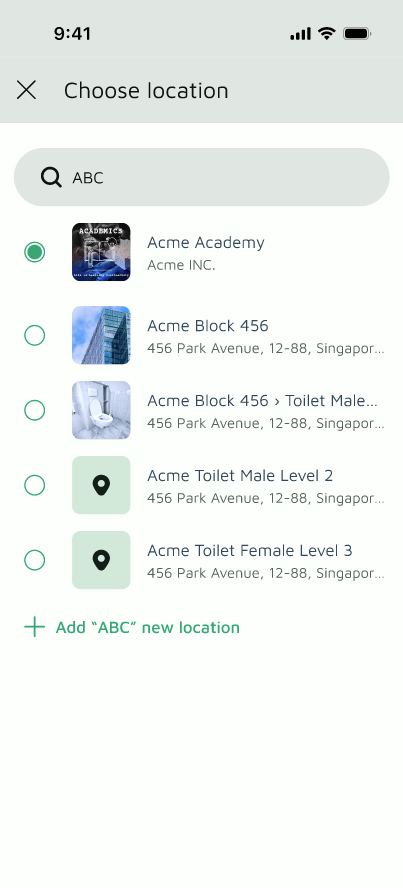
Step 4. If it doesn’t exist, tap + Add “[name]” as new location. The name you searched for is filled in automatically.
Step 5. Enter the location details. The location name is required.
Step 6. Tap Create. The new location is tagged to your Work Order.
You can find instructions for the rest of the fields, and tips for creating a more effective location, in this article.
