When a technician finishes a job, the work order moves to Review and lands in your queue. As the Admin or Building Manager, you inspect the work and decide whether to accept or reject it. Nothing moves forward, including the vendor’s invoice, until you do.
Before you decide
Step 1. Open the work order. The status shows Review.
Step 2. Check what the technician submitted:
- Photos and videos of the completed work
- Completed forms or checklists, if a procedure was attached
- Comments from the technician
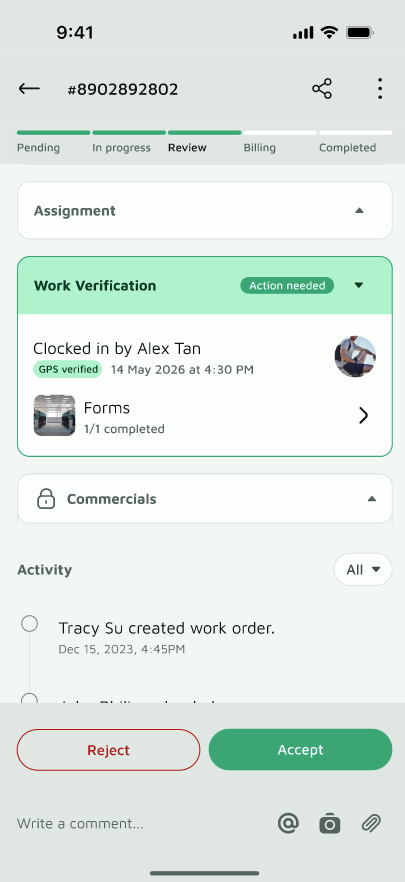
Step 3. If needed, inspect the work on site
Accept the work
Accept when the job is done properly and you’re satisfied.
Step 1. Tap Accept
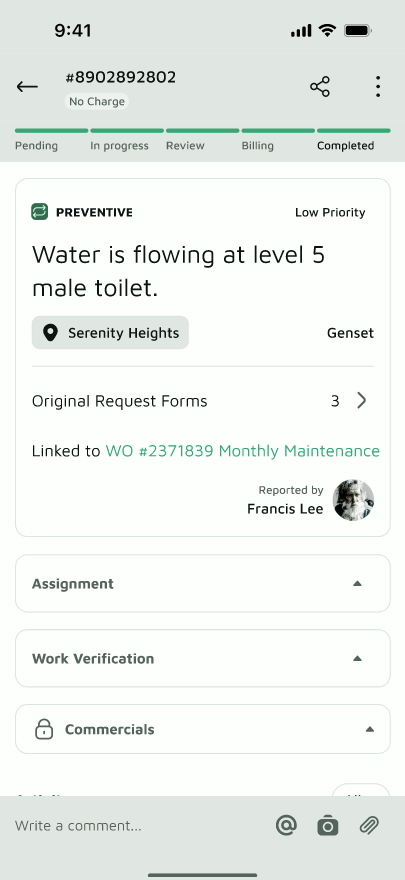
Step 2. The work order moves on:
- Paid work order: it moves to Billing | Awaiting Invoice, and the vendor manager is asked to upload the invoice
- No-charge work order (for example, warranty): it closes as Completed | No Charge
Reject the work
Reject when the work is incomplete or doesn’t meet the standard, and the vendor needs to go back and fix it.
Step 1. Tap Reject
Step 2. Add a comment explaining what needs to be corrected, for example “Leak still visible at the joint.” Clear feedback saves a second round of back-and-forth.
Step 3. Confirm. The work order moves back to In Progress | Rework Requested, and the vendor must return to the site and correct the work.
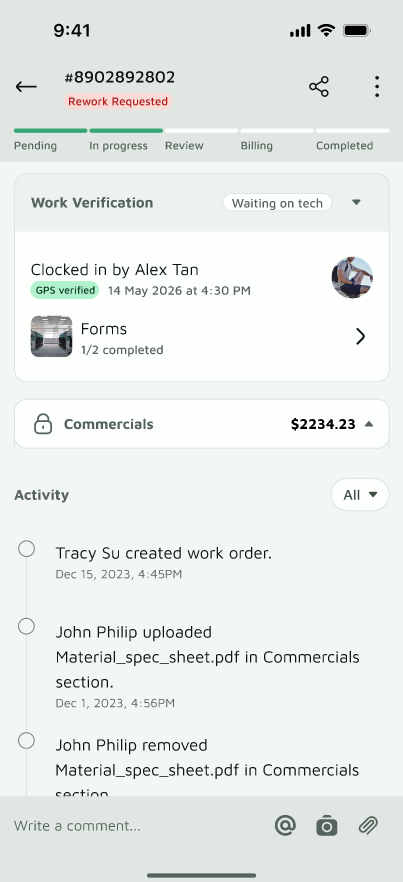
When the technician finishes again, the work order returns to Review for you to check once more.
Good to know
- Only Admins can accept or reject. Other roles can view the work order but won’t see the buttons.
- Accepting is your sign-off. It’s recorded in the activity log, so there’s a clear history of who approved the work and when.
- Accept only when you’re satisfied. Once the work order moves to Billing, the vendor submits their invoice against it.
- A Re-work doesn’t cancel the job. The work order stays open until the work meets your standard or you cancel it.
