The reporter is the person who raised the issue or reported the work to you. You can change the reporter at any time from the work order details, and you can invite them on the spot if they aren’t in your workspace yet.
Change to an existing user
Step 1. Go to the work order details
Step 2. Tap Reporter
Step 3. Choose the user who reported the work to you
Reporter not in the list? Invite them directly
If the person who reported the issue hasn’t been added to your workspace, you don’t need to leave the work order to invite them.
Step 1. Go to the work order details
Step 2. Tap Reporter
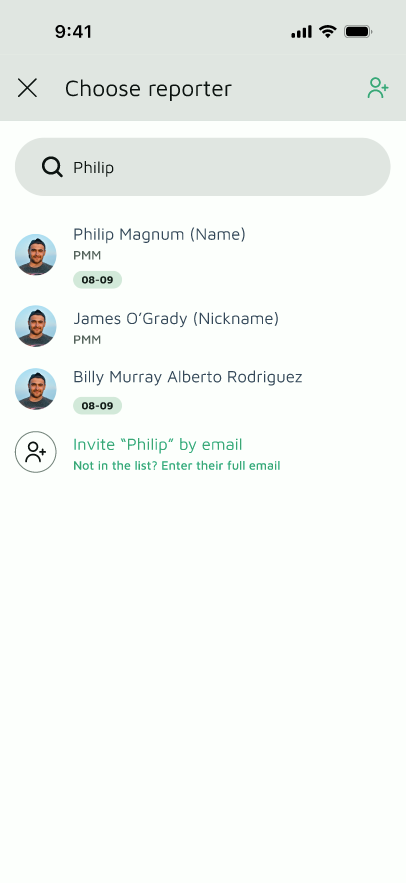
Step 3. In Search User, type the person’s name
Step 4. If they don’t appear, tap Invite “[name]” by email
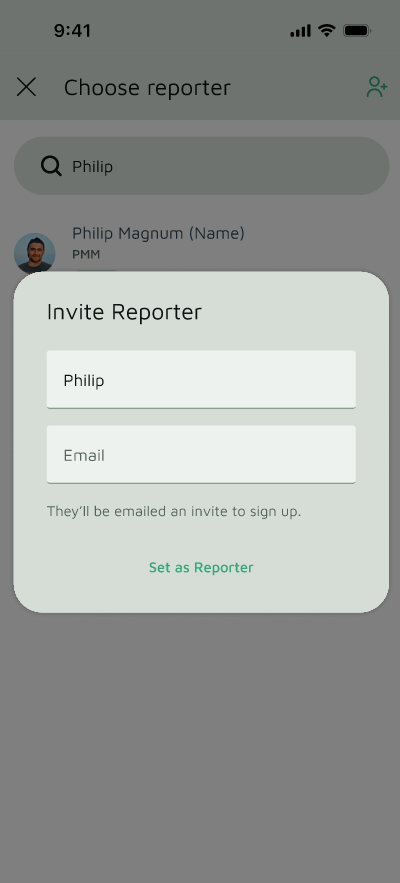
Step 5. Enter their email address in the dialog
Step 6. Confirm to send the invitation and set them as the reporter
Users you’ve invited who haven’t signed up yet appear by email address instead of name. You can still select them as the reporter. Once they sign up, they can see the work order details.
