The Vendor Performance Report gives you a consolidated view of how each vendor is performing across cost, timeliness, and compliance — pulled directly from your work order history. It can be generated by the Admin or Approver of the workspace.
Who Can Generate This Report
- Admin
- Approver
If you don't see this option, you may not have the required role — check with your workspace Admin.
How to Generate the Report
- Access Workspace Settings
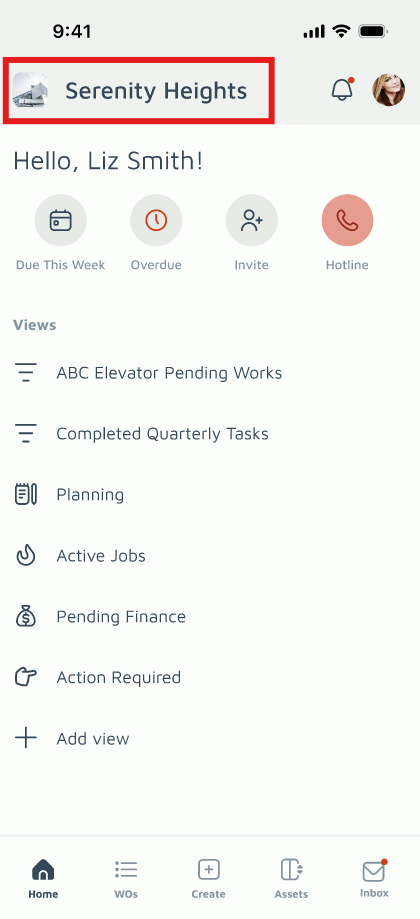
Tap Workspace Settings in the top-left corner of the Home Page.
- Navigate to Report
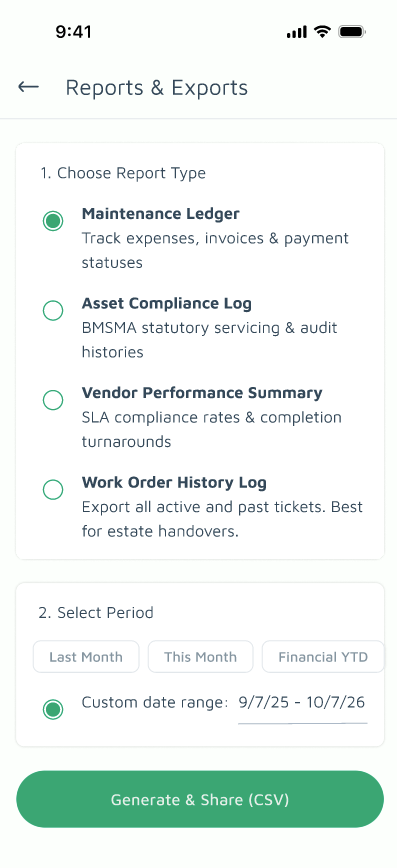
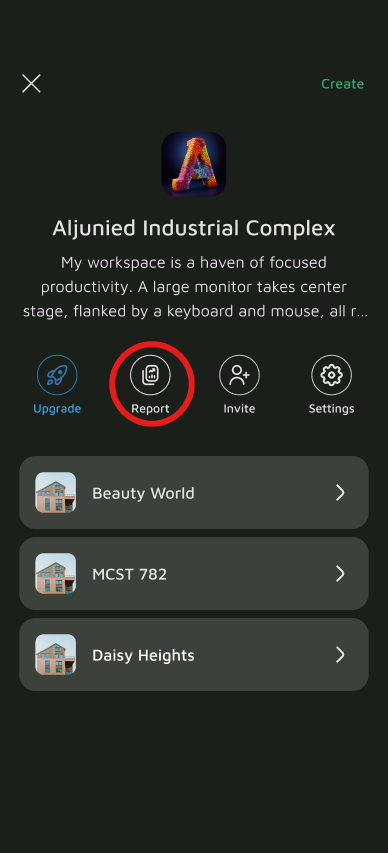
Go to the Report section and select Vendor Performance Summary.
- Select Your Filter
Choose the date range (e.g., Year-to-Date) you want the report to cover. This filters by the date the work order was completed
- Generate and Export
Tap Generate. The report will compile the relevant data. You can view it on-screen or export it for your records.
Understanding the Report Columns
| Column | What It Shows |
|---|---|
| Vendor | The name of the vendor organization. |
| Trade | The vendor's registered trade or service category (e.g., electrical, plumbing, landscaping). |
| Total Work Orders YTD | The total number of work orders assigned to this vendor from the start of the year to date. |
| Completed On Time | The number of work orders completed within their assigned SLA deadline. |
| Avg Days to Complete | The average number of days between a work order being issued and marked completed, across all work orders in the period. |
| Contract Spend (Periodic) | Total spend on routine, scheduled servicing work orders (e.g., monthly pest control, pool cleaning). |
| Ad-Hoc Spend (Reactive/Emergency) | Total spend on unplanned repair work — both standard reactive jobs and urgent emergency call-outs. |
| Statutory Spend (Compliance) | Total spend on work orders tied to regulatory or statutory requirements (e.g., BMSMA-mandated inspections). |
| Capital Spend (Improvement) | Total spend on upgrade or improvement projects (e.g., LED retrofits, new signage). |
| Total Expenditure YTD (SGD) | The sum of all spend categories above — the vendor's total billed amount for the year to date. |
| SLA Compliance Rate | The percentage of work orders completed within SLA, calculated as (Work Orders Completed Within SLA ÷ Total Work Orders Assigned) × 100%. See SLA Guidelines for how this is calculated. |
| Verified Photo Rate | The percentage of work orders where the vendor submitted the required GPS-verified completion photos. |
Why This Report Matters
This report is the basis for evaluating vendors ahead of contract renewals and for prioritizing which vendors receive automatic dispatch on new work orders. Vendors maintaining an SLA Compliance Rate above 90% stay in good standing for priority selection.
