If you're an Approver — usually a council member or director — Basementgrid notifies you whenever a Work Order needs your sign-off. This happens whenever the Work Order amount goes over the threshold limit set in your estate's budget settings.
When You'll Be Notified
Your estate's threshold limit determines which Work Orders need Approver sign-off. Any Work Order above that amount will trigger a notification to you, and it will also appear as a Required Action card on your home page.
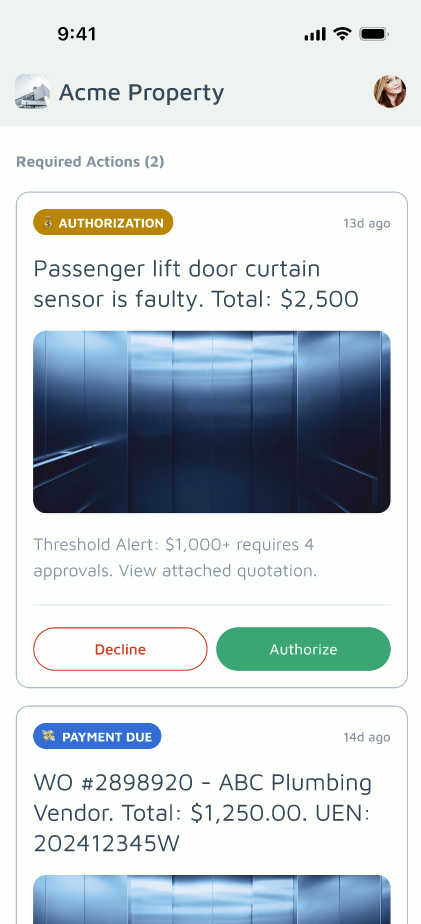
Step 1: Check Your Required Action Card
On your home page, look for the Required Action card. Any Work Order awaiting your approval will show up here.
Step 2: Review the Work Order Details (Optional, but Recommended)
Before making a decision, tap into the Work Order to see the full details — the issue, the vendor, the quoted amount, and any attachments or history. This gives you the full context before you approve or reject.
Step 3: Approve or Decline
From the Required Action card, you can:
- Approve — the Work Order proceeds as submitted.
- Decline — the Work Order is sent back and won't proceed.
Need More Information First?
If you're not ready to decide, you can leave a comment directly in the Work Order details to ask for more information — from the building manager, the vendor, or whoever raised it. You don't need to approve or reject right away; you can wait for a reply before making your decision.
